AI-Driven Learning
AI-Driven Learning
AI-Driven Learning
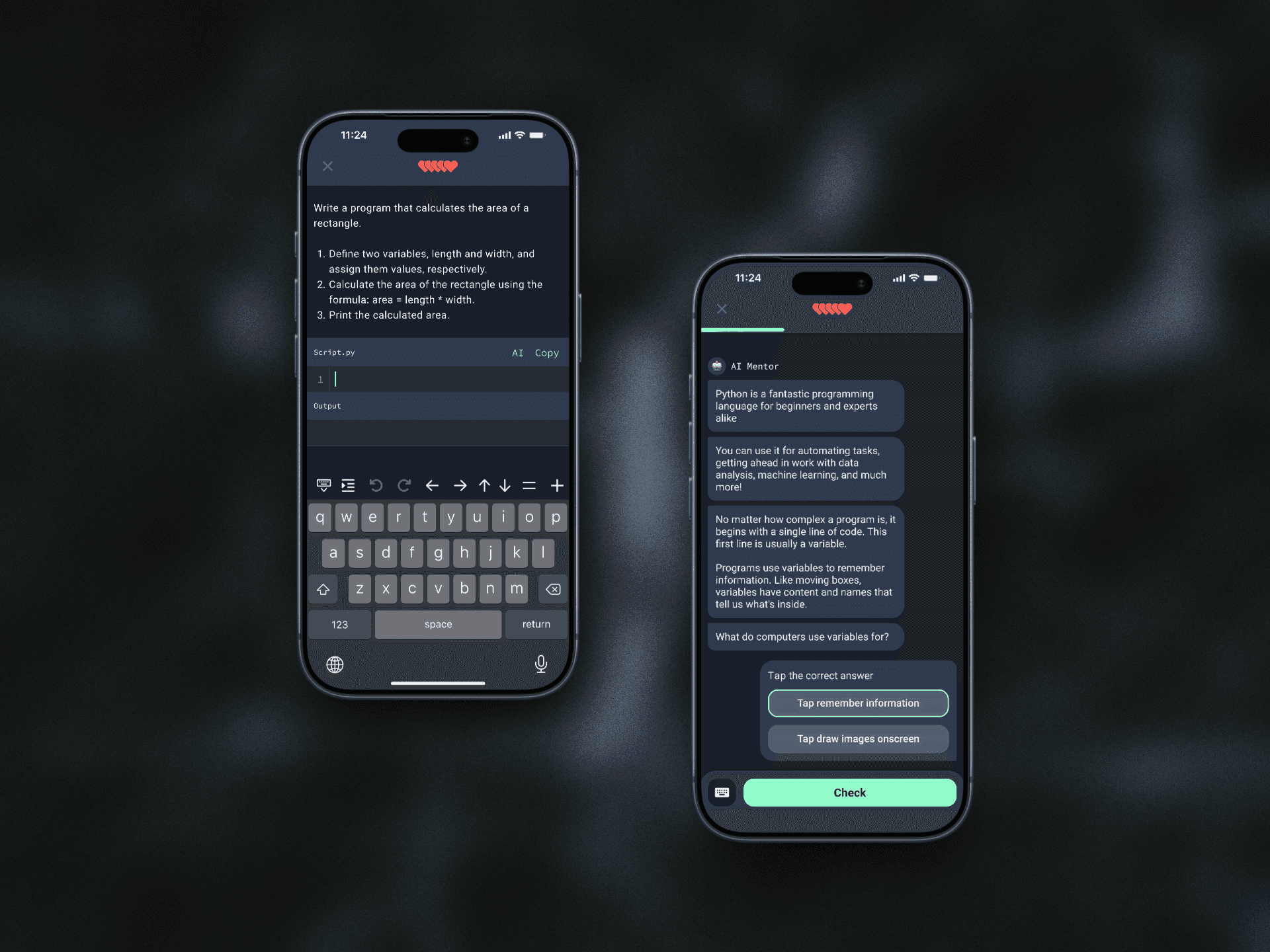
Leveraging GPT-4.0 to create interactive, personalized conversational learning experiences aimed at enhancing coding comprehension and student engagement.
Research
The map is not the territory
Maps represent places, but they don’t capture the full reality—just like a menu describes food but can't replicate the taste. To stay connected to the real challenges learners face, we each simulated AI learning experience firsthand and tallied our experiences.

The map is not the territory
Maps represent places, but they don’t capture the full reality—just like a menu describes food but can't replicate the taste. To stay connected to the real challenges learners face, we each simulated AI learning experience firsthand and tallied our experiences.
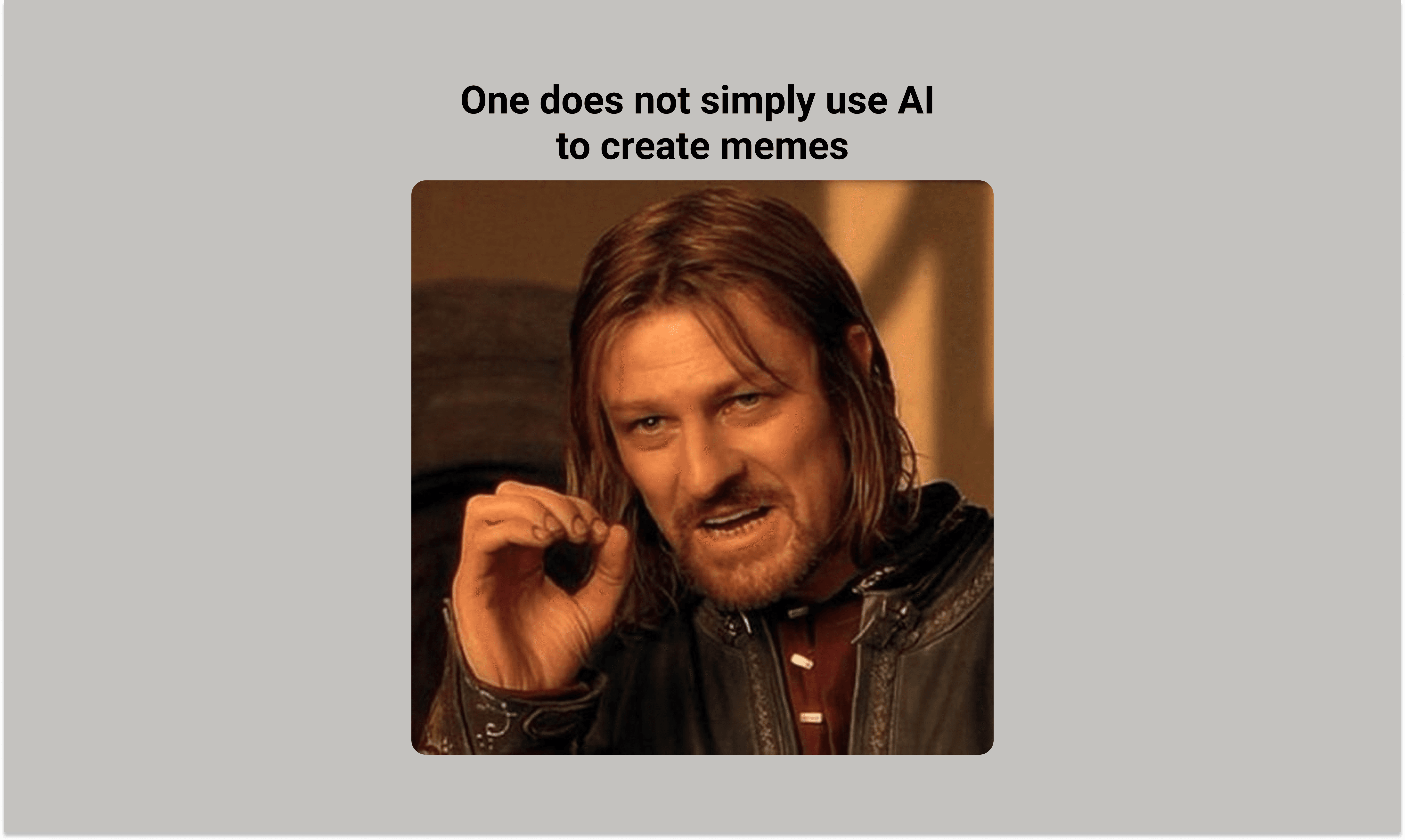
What are chat interfaces good for?
Adaptive Learning: Tailors the experience to your needs, adjusting pace, content, and style based on your learning style.
Interactivity & Feedback: For the first time, you can talk to your textbook, and it can provide instant feedback on your performance.
Efficiency: Highlights what to focus on, streamlining the learning process and saving time.
What are chat interfaces good for?
Adaptive Learning: Tailors the experience to your needs, adjusting pace, content, and style based on your learning style.
Interactivity & Feedback: For the first time, you can talk to your textbook, and it can provide instant feedback on your performance.
Efficiency: Highlights what to focus on, streamlining the learning process and saving time.
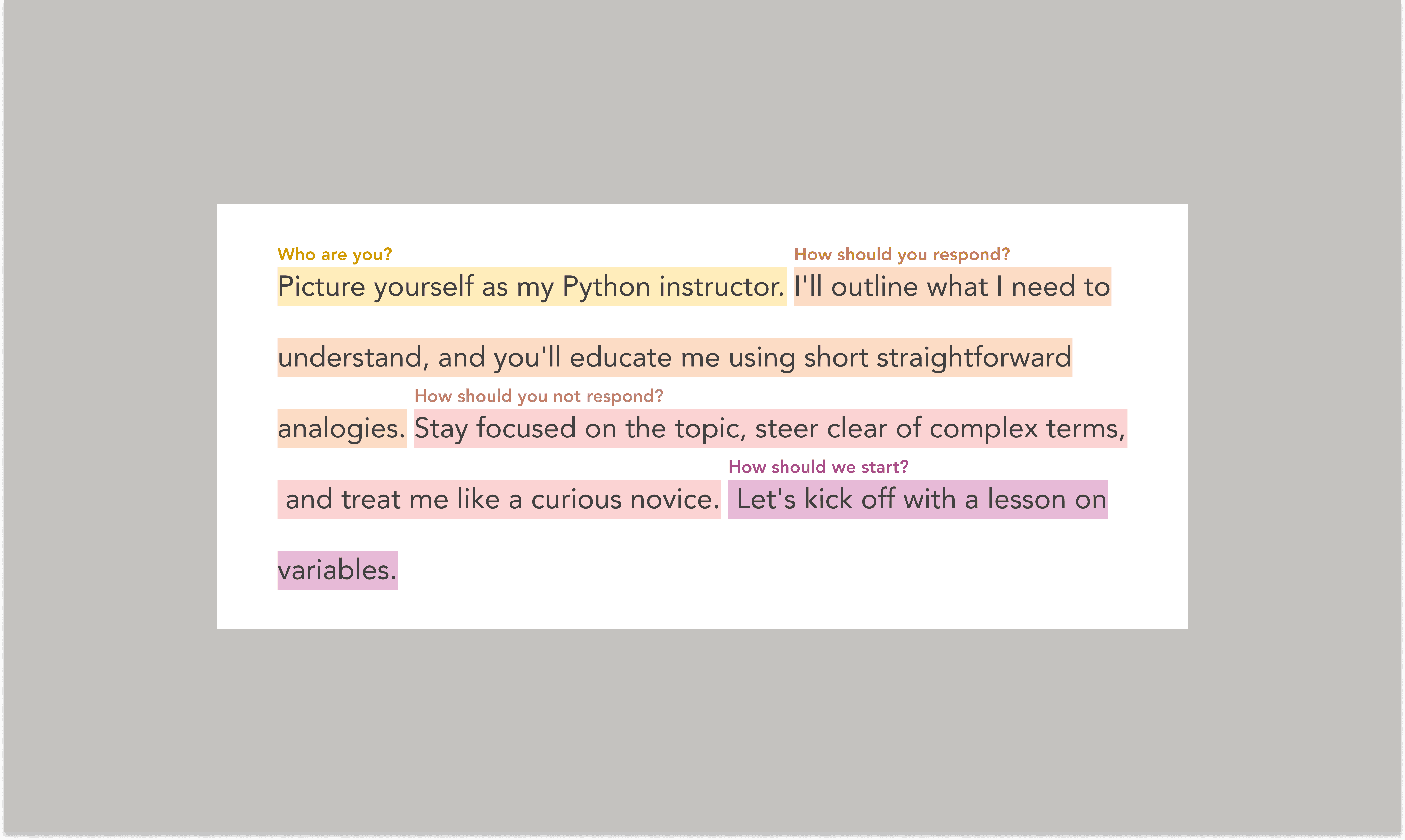
What’s Wrong With AI Chat Interfaces?
Learning Curve: Chat interfaces like GPT offer little guidance. A blank screen greets you—what can it do, how should you use it, and what’s possible? The onus is on the users figure it out on their own.
Prompt-AI Alignment: When the AI misunderstands your prompt, it’s unclear what went wrong or how to improve. Users need better tools to refine prompts and understand AI responses.
Make me think: AI’s convenience risks discouraging effort. We must inspire users to practice, question, and think critically to grow. How else can you learn?
What’s Wrong With AI Chat Interfaces?
Learning Curve: Chat interfaces like GPT offer little guidance. A blank screen greets you—what can it do, how should you use it, and what’s possible? The onus is on the users figure it out on their own.
Prompt-AI Alignment: When the AI misunderstands your prompt, it’s unclear what went wrong or how to improve. Users need better tools to refine prompts and understand AI responses.
Make me think: AI’s convenience risks discouraging effort. We must inspire users to practice, question, and think critically to grow. How else can you learn?
Solution
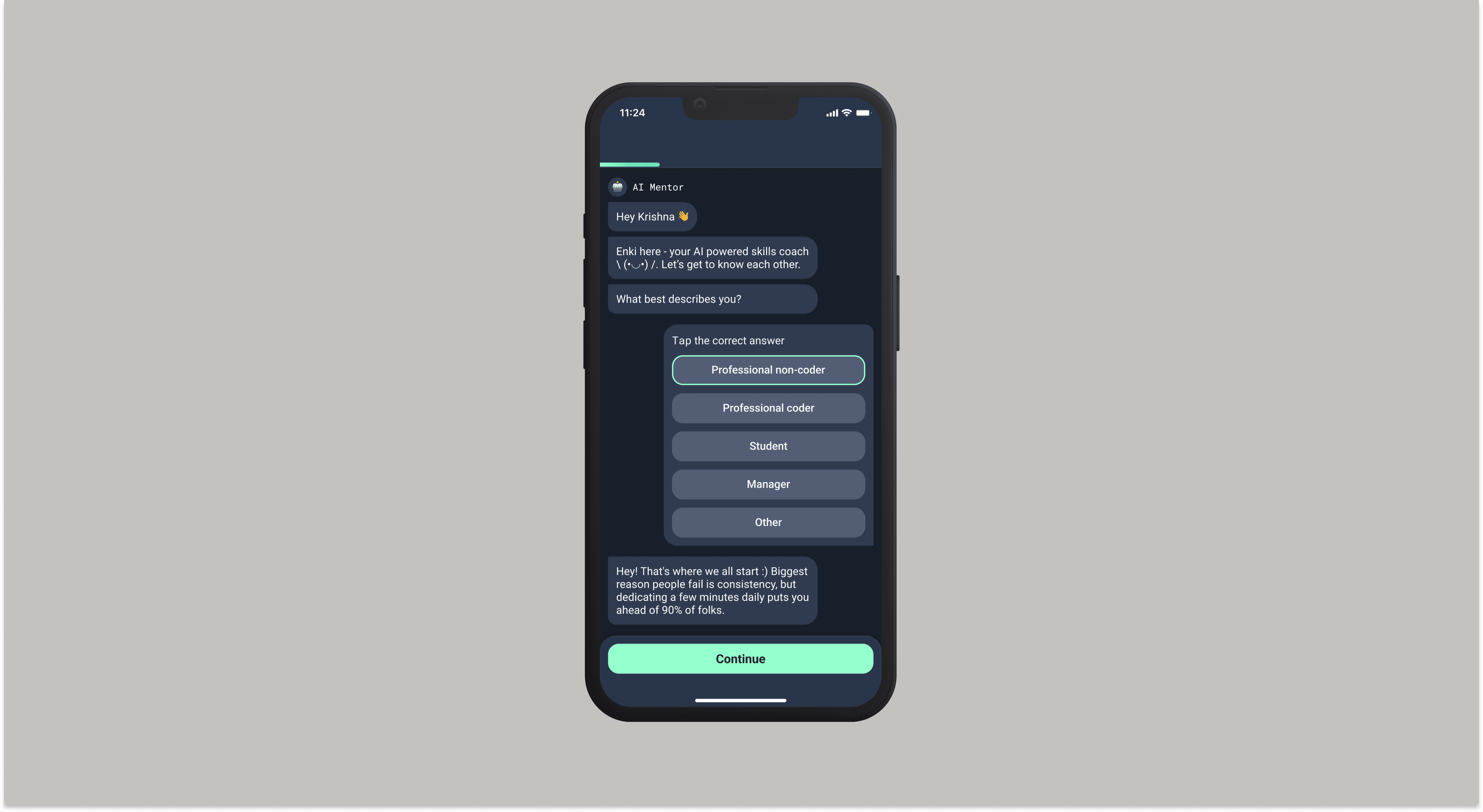
How do we reduce the learning curve?
By adopting an adaptive AI-guided onboarding experience, we can:
Speed up product familiarization by using chat interfaces to create interactive, personalized dialogues.
Quickly deliver tailored 'aha' moments for each persona.
Save development time by reusing existing components.
How do we reduce the learning curve?
By adopting an adaptive AI-guided onboarding experience, we can:
Speed up product familiarization by using chat interfaces to create interactive, personalized dialogues.
Quickly deliver tailored 'aha' moments for each persona.
Save development time by reusing existing components.
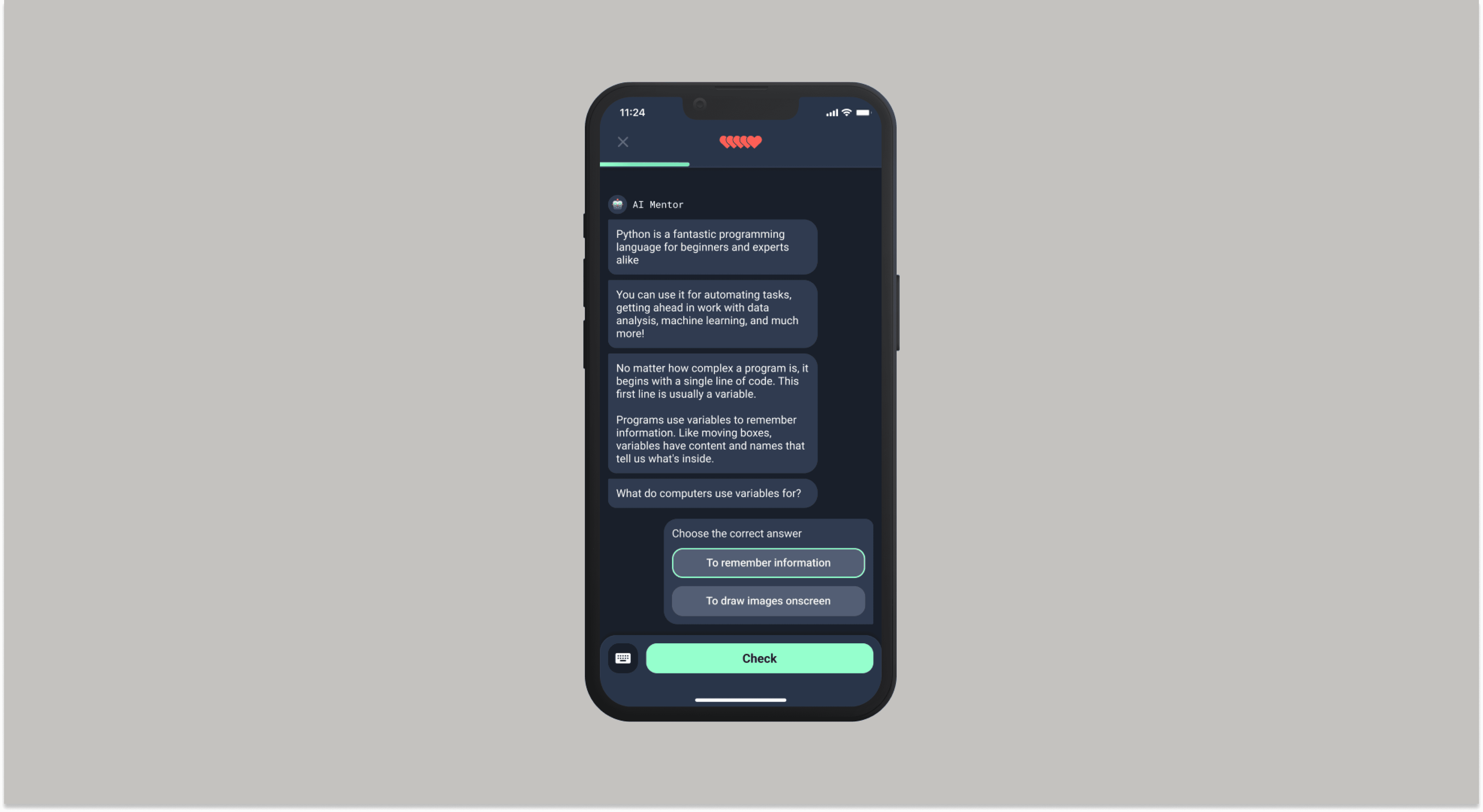
Prompt-AI alignment and designing for hallucinations
To address prompt-AI alignment and reduce hallucinations, we needed to implement the following:
Response Validation Loops: where the AI cross-checks its coding explanations and examples against reliable programming resources and predefined rules to avoid incorrect guidance.
Interactive Context Building: Prompt users to provide additional details, when ambiguity arises. This helps tailor responses and prevent misinterpretation.
Grounded in Context: Anchor responses to factual, domain-specific data, to limit the AI's ability to generate inaccurate information.
Prompt-AI alignment and designing for hallucinations
To address prompt-AI alignment and reduce hallucinations, we needed to implement the following:
Response Validation Loops: where the AI cross-checks its coding explanations and examples against reliable programming resources and predefined rules to avoid incorrect guidance.
Interactive Context Building: Prompt users to provide additional details, when ambiguity arises. This helps tailor responses and prevent misinterpretation.
Grounded in Context: Anchor responses to factual, domain-specific data, to limit the AI's ability to generate inaccurate information.
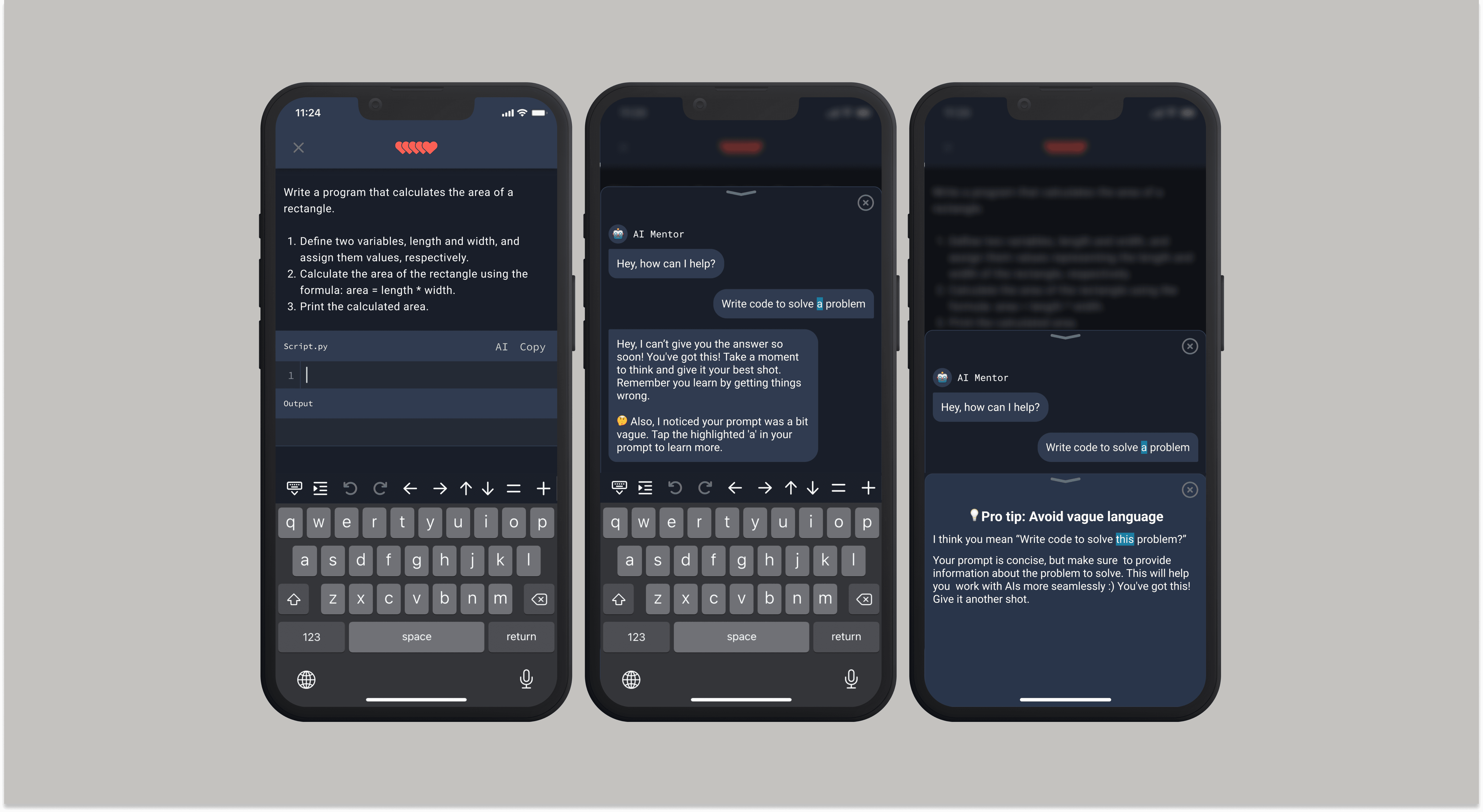
Make me think
As users advance, they need tools that help them gain clarity in their thinking. Highlighting, real-time analysis, and offering feedback and suggestions on prompts will help refine their prompt engineering skills.
Make me think
As users advance, they need tools that help them gain clarity in their thinking. Highlighting, real-time analysis, and offering feedback and suggestions on prompts will help refine their prompt engineering skills.
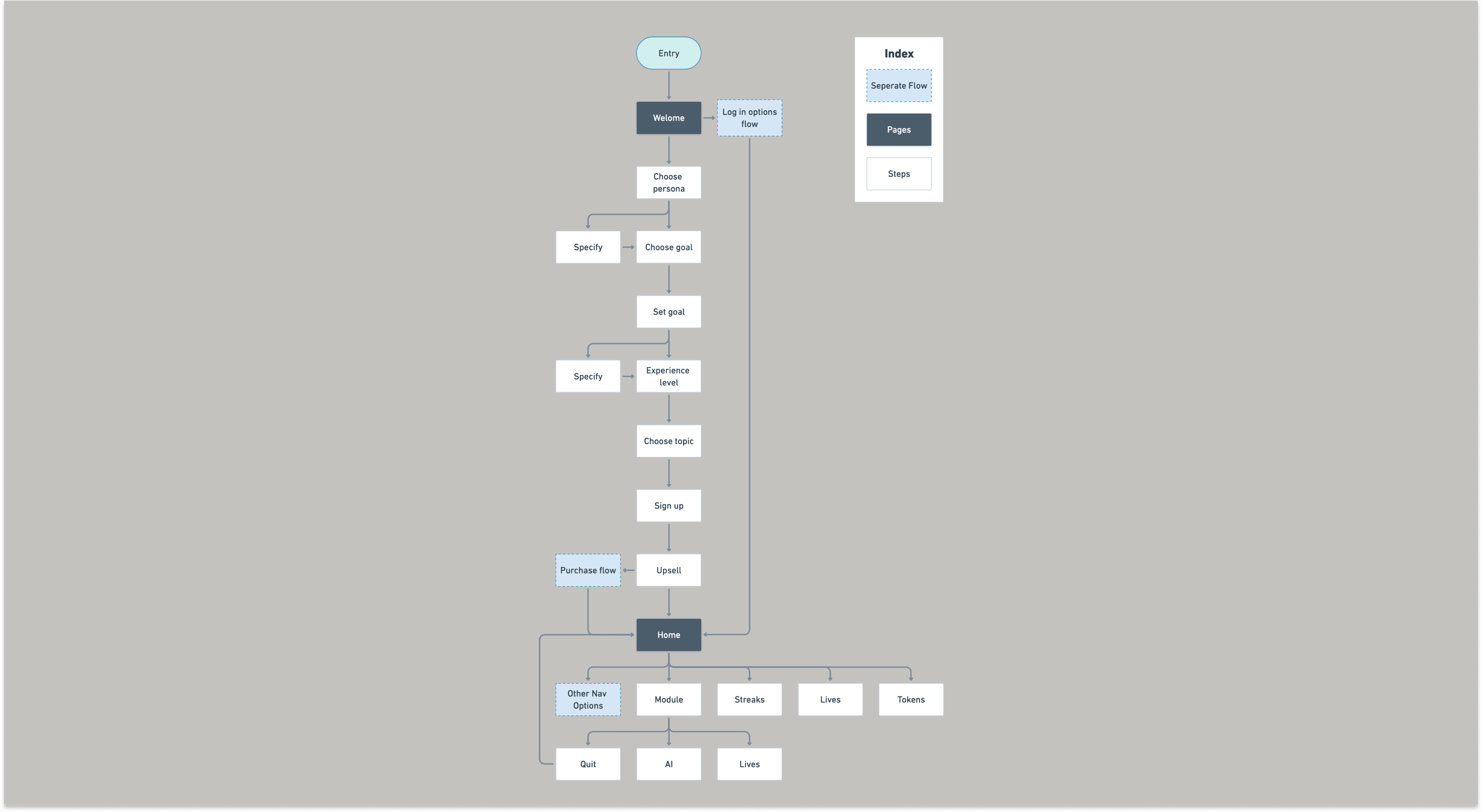
User flows
To better envision the flow, I outlined a high-level concept of the user interaction through sketches before creating an onboarding user flow diagram to visualize the entire sequence of steps holistically.
User flows
To better envision the flow, I outlined a high-level concept of the user interaction through sketches before creating an onboarding user flow diagram to visualize the entire sequence of steps holistically.
UI Design
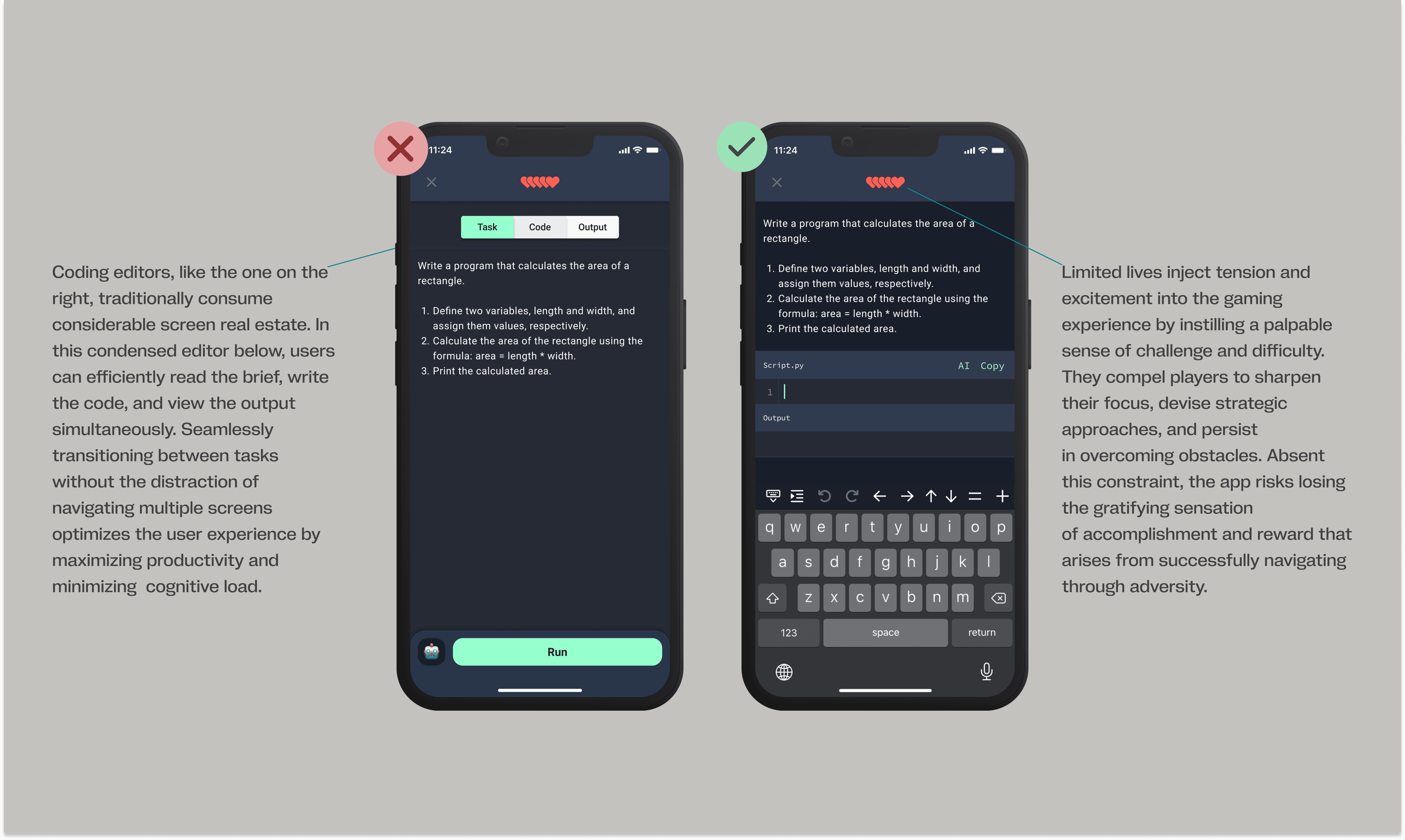
Designing the MVP
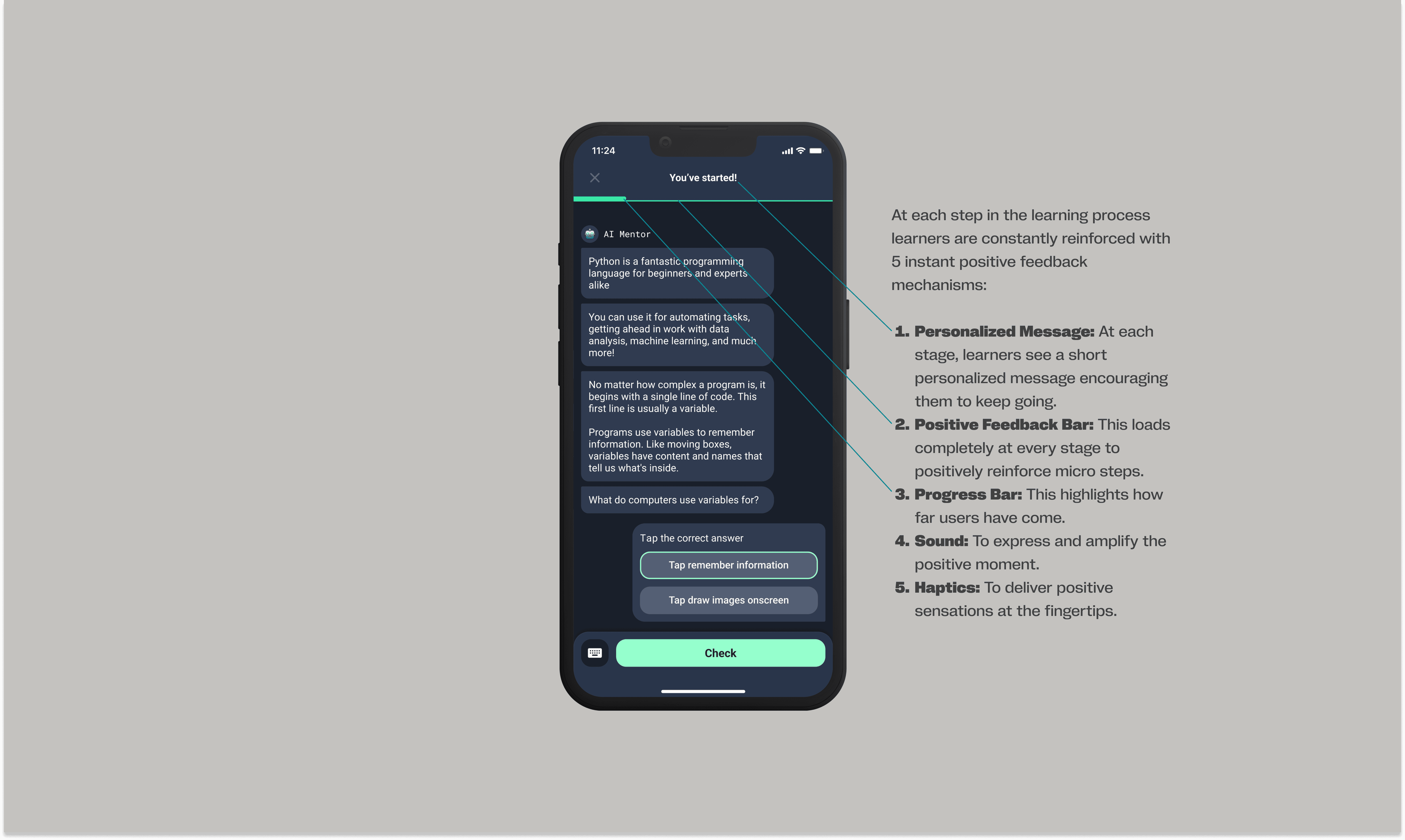
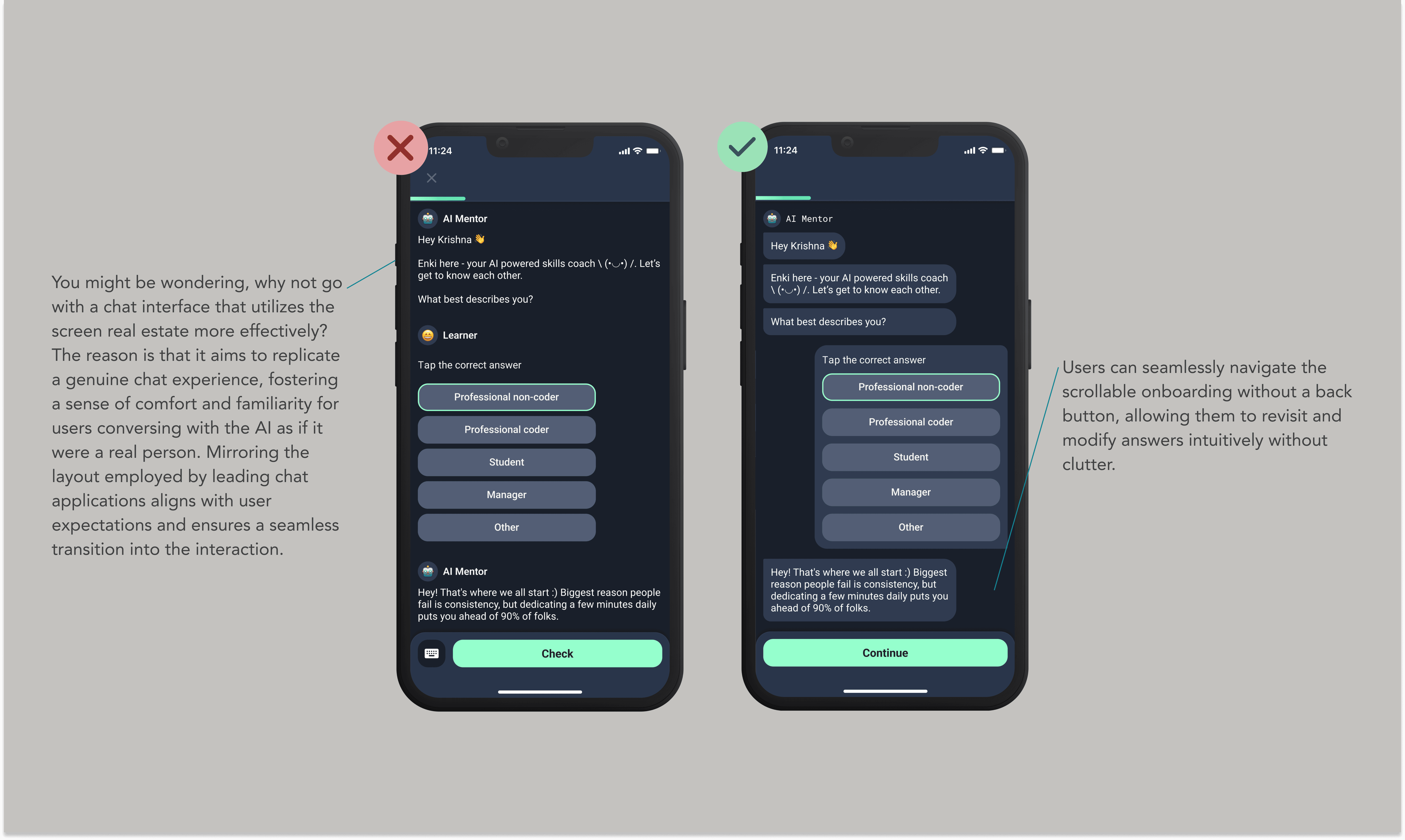
To work quickly, I leveraged Figma to iterate swiftly and explore various layout options, visual styles, and interaction patterns. This approach enabled me to identify and refine the most functional and user-friendly solutions, resulting in a final set of designs that struck an optimal balance between aesthetics, usability, and technical feasibility for development.
Designing the MVP
To work quickly, I leveraged Figma to iterate swiftly and explore various layout options, visual styles, and interaction patterns. This approach enabled me to identify and refine the most functional and user-friendly solutions, resulting in a final set of designs that struck an optimal balance between aesthetics, usability, and technical feasibility for development.
Learnings & Next Steps
My Learnings
Consider attention spans: Just as infinite scrolling led to decreased attention spans, AI’s could make users overly reliant, exploiting users' attention and decision-making.
Conversational design: We need to think beyond GUIs and consider tone, personality, and conversational flow to great interactions.
Cognitive Load & Feedback: The constant effort required to rephrase prompts can quickly lead to fatigue and frustration. It's crucial to provide clear and helpful feedback when users encounter misalignment.
My Learnings
Consider attention spans: Just as infinite scrolling led to decreased attention spans, AI’s could make users overly reliant, exploiting users' attention and decision-making.
Conversational design: We need to think beyond GUIs and consider tone, personality, and conversational flow to great interactions.
Cognitive Load & Feedback: The constant effort required to rephrase prompts can quickly lead to fatigue and frustration. It's crucial to provide clear and helpful feedback when users encounter misalignment.
READY TO COLLABORATE?
READY TO COLLABORATE?
READY TO COLLABORATE?
Have some work in mind?
Have some work in mind?
Let’s create something extraordinary together
Let’s create something extraordinary together